


Fax.Plus - Send Fax from Phone
4.65.48K Reviews
App Specs
- Version
- 24.2.0
- Updated On
- License
- Free
- Downloads
- 1,000,000+
- Developer
- Alohi
- Categories
- Business
- Platform
- Android, iOS
Screenshots
 Analysis by AppCompare
If you’ve ever found yourself in a pinch needing to send a fax but didn’t have access to a fax machine, then Fax.Plus is about to become your new best friend. This app turns your smartphone into a portable fax machine, allowing you to send and receive faxes from anywhere. I decided to give it a spin to see if it’s as good as it sounds.
Why sending from a phone matters
The useful idea here is not simply replacing an old machine with a screen. It is being able to deal with a fax at the point when the paperwork is already on your phone: a signed form in a PDF, a photo of a document, or a file you have just received by email. Instead of finding a printer, locating a fax machine, and handling paper copies, you can keep the task within one device.
That convenience is most valuable when faxing is an occasional requirement rather than a daily routine. A clinic, insurer, government office, or business may still ask for a fax even when the rest of the exchange happens online. For that one awkward step, an app can spare you a trip and make it easier to send the document while the request is still in front of you.
Faxing by phone does not make every document effortless, though. A page photographed at an angle, with shadows or small handwriting, can be harder to read than a clean digital file. I would use a PDF when I have one, and take a fresh, well-lit picture only when paper is the sole copy. A quick check of the page order and legibility before sending is a small step that can prevent a frustrating follow-up.
Getting Started with Fax.Plus
First things first, setting up Fax.Plus is a breeze. You can find it on both Android and iOS platforms, so no one’s left out. Once you’ve downloaded the app, you just need to sign up with an email or connect it through your Google or Facebook account. I went with the email option, and I was up and running in just a couple of minutes.
The interface is clean and straightforward. No clutter, just a dashboard that gives you easy access to sending and receiving faxes. I appreciate apps that don’t overcomplicate things, and this one definitely hits the mark.
Sending a Fax
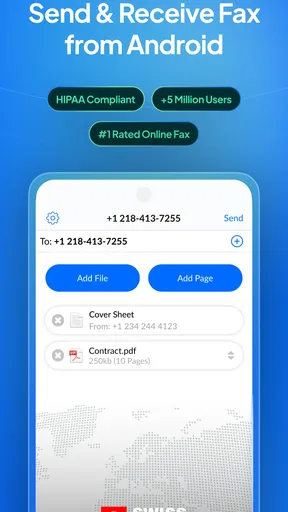
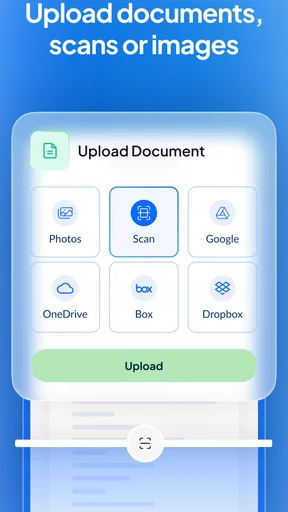
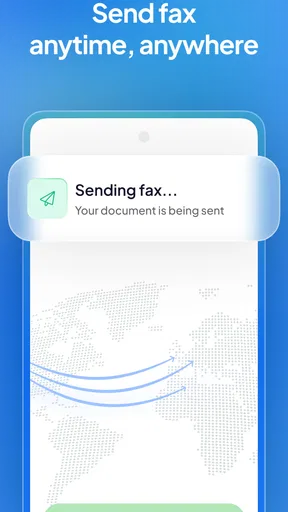
To send a fax, you simply tap the “Send Fax” button. You can upload documents from your phone, cloud storage, or even take a picture of the document you want to fax. It supports various file formats like PDF, DOC, and JPEG, which makes it super versatile. I tried sending a PDF document from my Google Drive, and it worked flawlessly.
Worth Reading Before You Choose

EA SPORTS FC Mobile 26 Is a Bigger Football Game, but It Takes Time

Flipboard Shows What News Apps Must Do Beyond the Feed

Switching to Android Auto Means Rethinking Your Driving Routine

Google Calendar Makes a Crowded Week Easier to Manage

Ludo King Makes the Most of the Minutes Between Plans

Baby Panda World Brings Quick Play to Modern Phones, but Its Game Library Feels Busy
What’s cool is that you can add a cover sheet at no extra charge. Plus, if you’re sending multiple pages, you can rearrange them on the app before hitting send. I found this feature particularly handy when I had to switch the order of my files last minute.
A careful workflow for important paperwork
For a multi-page packet, I would assemble the pages before entering the recipient details, then review the sequence as if I were the person receiving it. That catches a common phone-workflow mistake: selecting files in the order they appear in storage rather than the order the recipient needs to read them. The cover sheet is also a practical place to make the purpose of a packet clear, especially if the first page is a form with no obvious context.
Before sending anything sensitive, I would check the destination number against the instructions from the recipient rather than relying on an old contact or a number copied from a previous form. A fax can be delivered successfully to the wrong number, so a delivery notification is useful but does not replace checking that the destination is correct. For a deadline, I would also leave time to respond if the recipient says a page is missing or unreadable.
One question people often have is whether a phone photo is good enough. It can be a convenient source, but quality depends on the original and how clearly it is captured. Keep the whole page in frame, avoid glare, and make sure the text is readable before treating the image as ready to send. If the document is already available as a digital file, using that version is generally the cleaner choice.
Receiving Faxes
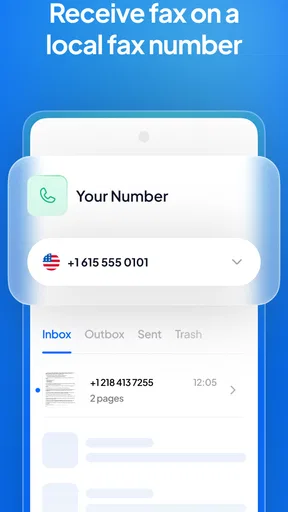
Receiving faxes is just as straightforward. With the free version, you get a temporary fax number for 24 hours. If you need a permanent number, you’ll have to upgrade to a paid plan, which is reasonable if you’re planning to use faxing regularly. I tested it by sending a fax to myself, and it came through without a hitch.
All received faxes are stored safely in the app, and you can download them to your device or forward them via email. It’s like having a mini fax machine right in your pocket.
When receiving is the deciding factor
The temporary number makes the free option better suited to a short, planned exchange than to ongoing correspondence. If someone needs to fax you once, it may be enough; if you expect a form to arrive later or need a stable number printed on business paperwork, the temporary arrangement is a poor fit. I would confirm the timing with the sender before depending on a short-lived number, rather than assuming it will remain available for future documents.
Keeping received files in the app can make them easier to retrieve than a paper fax left beside a shared machine. Downloading a copy or forwarding it to an appropriate email address can also help when the next step is completing the form on another device. For sensitive paperwork, though, I would think carefully about where I forward it and who can access that mailbox. Convenience should not mean sending private documents to an inbox used by several people.
A realistic use would be a freelancer who is asked to return a signed authorization during a busy workday. They can locate the form on their phone, add the missing information, and send it without leaving the job site to hunt down office equipment. If the same person needs clients to send documents back over several weeks, a temporary number is no longer enough; that is the point at which a paid option or a more established business fax setup deserves consideration.
Security and Reliability
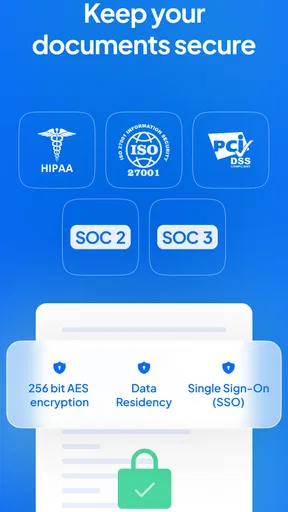
When it comes to sensitive documents, security is paramount. Fax.Plus uses end-to-end encryption to ensure that your data is safe and sound. I felt confident knowing that my documents were being handled securely.
As for reliability, I didn’t experience any glitches or delays during my testing. The faxes were sent and received promptly, which is crucial when you’re dealing with time-sensitive documents.
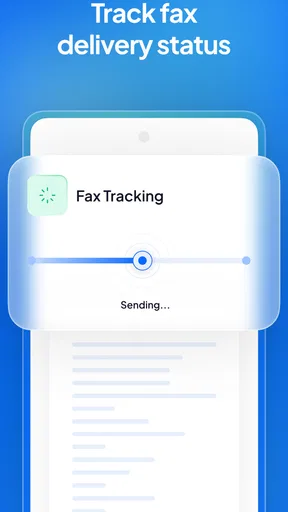
I also noticed that the app notifies you once your fax has been delivered, so you’re never left wondering if it reached its destination.
What a delivery notice does—and does not—settle
A delivery notice is a helpful checkpoint: it tells me the transmission has reached its destination, so I do not have to guess whether the send attempt completed. It is not the same as confirmation that a person has read the pages, accepted the paperwork, or can make out every detail. If the document is consequential, I would keep the notification and contact the receiving office through its normal channel if the next step depends on actual review.
That distinction matters more with fax than with a casual file share. A successful transmission can still be followed by a request to resend a blurry page or include another form. I would treat the app as a way to move paperwork, not as a substitute for confirming that a deadline-sensitive submission is complete.
Faxing also has a narrower role than email or a shared document link. Email is usually easier when the recipient accepts it, and a shared file is better when several people need to edit or comment. The advantage of a fax app is that it addresses the specific case where the other side insists on fax, without requiring me to own or locate a physical machine.
Pricing and Plans
Although the free version is quite functional, it does have its limitations, like the temporary fax number. If you need a permanent number or plan to send lots of faxes, the paid plans are worth considering. They offer different tiers depending on your needs, which is great for both occasional users and fax enthusiasts.
The pricing is competitive compared to other fax apps, and the features you get with the paid plans are definitely worth the investment.
Choosing the right level of commitment
Fax.Plus is free to download, and optional in-app purchases range from $8.99 to $949.99 per item. That broad span makes it especially important to match a plan to a real need instead of upgrading just because a fax might be useful someday. For one-off sending, I would first see whether the free workflow covers the task; for regular receiving or repeated business use, a stable number and a plan suited to the workload may matter more than the initial cost.
Before paying, I would ask myself how often I actually send faxes, whether I need to receive them, and whether the people I deal with require a persistent number. If the answer is “once in a while,” a dedicated fax service at a local office or another one-time option may be simpler. If faxing is part of routine work, having the process on the phone can be worth paying for because it removes repeated trips and keeps the documents close to the rest of the workflow.
There is also a practical limit to the app’s value: it cannot persuade a recipient to accept a digital alternative. When an organization has a secure online portal, that route may provide a clearer submission record and be easier to track. I would use fax only when it is requested or genuinely needed, rather than treating it as a universal replacement for email, scanning, or electronic forms.
Who will get the most from it
Fax.Plus is aimed at people who occasionally face fax requirements away from a traditional office: independent workers, travelers handling paperwork, or anyone helping a family member submit forms. Its business focus makes sense when a document needs to move quickly and the sender already has a smartphone and the file. The app is less compelling for someone who never encounters fax requests, or for an organization that needs a shared, centrally managed document process rather than an individual mobile tool.
The app comes from Alohi and sits in the business category, though its appeal is practical rather than limited to formal companies. It has a 4.7 average from around 29,000 ratings, with more than 1 million installs. It is free to download, rated for Everyone, and version 19.10.0 supports devices running Android 8.0 or newer. Those details make it approachable for many personal and work situations, while the purchase options remain relevant for users who need more than occasional access.
For someone who sends paperwork every week, I would compare the time saved with the cost of keeping a fax service active. For a person who needs a fax only once, I would avoid paying for a long-term setup before checking whether the temporary option is sufficient. That distinction is more useful than choosing a plan based on the assumption that every fax app works the same way.
Final Thoughts
Overall, I was pretty impressed with Fax.Plus. It’s user-friendly, reliable, and secure, making it a solid choice for anyone in need of a mobile fax solution. Whether you’re sending a one-off document or need a regular faxing service, this app has got you covered.
If you haven't already, give it a try and see how it fits into your workflow. You might just find yourself wondering how you ever managed without it.
Pros
- User-friendly interface for quick navigation.
- Cloud integration for easy document access.
- Supports multiple file types for faxing.
- Real-time notifications for sent faxes.
- Encrypted transmissions ensure data security.
Cons
- Limited free tier with few faxes allowed.
- Requires stable internet for best performance.
- Occasional delays in fax delivery.
- Subscription needed for advanced features.
- No offline mode for fax sending.
FAQs for Fax.Plus - Send Fax from Phone
What is Fax.Plus and how does it work?
Fax.Plus is a mobile app designed to send and receive faxes directly from your smartphone. It provides a user-friendly interface where you can easily upload documents, add a recipient's fax number, and send the fax in just a few taps. The app supports various document formats and offers high-quality faxing without the need for a physical fax machine.
Is Fax.Plus secure for sending sensitive documents?
Yes, Fax.Plus emphasizes security by using advanced encryption protocols to protect your documents during transmission. Additionally, the app is compliant with international data protection regulations, ensuring that your sensitive information remains confidential and secure throughout the faxing process.
What are the costs associated with using Fax.Plus?
Fax.Plus offers several pricing plans to suit different needs. There is a free tier with limited monthly faxes, and premium plans that offer additional features such as more fax pages, priority delivery, and dedicated fax numbers. Users can choose a plan based on their faxing frequency and requirements.
Can I use Fax.Plus on both Android and iOS devices?
Yes, Fax.Plus is available for both Android and iOS platforms, allowing users to send and receive faxes from any smartphone or tablet. You can download the app from Google Play Store or Apple App Store, ensuring a seamless experience across different devices.
Does Fax.Plus offer any additional features besides faxing?
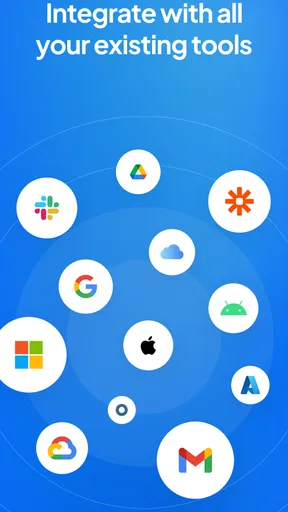
In addition to basic faxing capabilities, Fax.Plus provides features like cloud integration, allowing you to import documents from services like Google Drive and Dropbox. It also offers fax scheduling, so you can set faxes to be sent at a later time, and supports multiple file formats for greater flexibility.


